You do NOT need to publish your app - keeping it in Testing mode is perfectly fine for personal use.
Setup Process
1
Open Google Cloud Console
Go to Google Cloud ConsoleMake sure you’re logged into the Google account you want to use with Rowboat.
2
Create a New Project
Visit the project creation page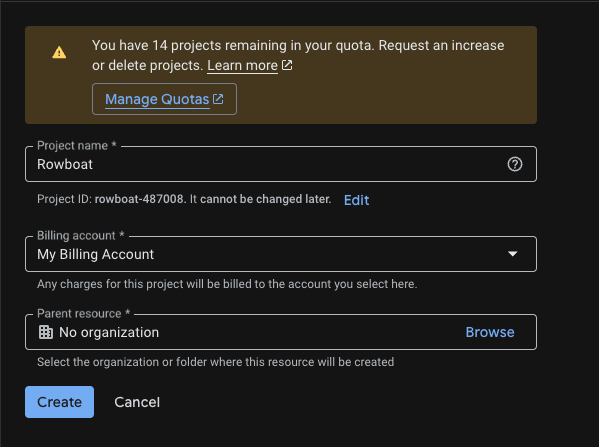
- Click Create Project
- Give it a name (e.g.
Rowboat Integration) - Click Create
3
Enable Required APIs
Enable these three APIs for your project:For each API, click Enable.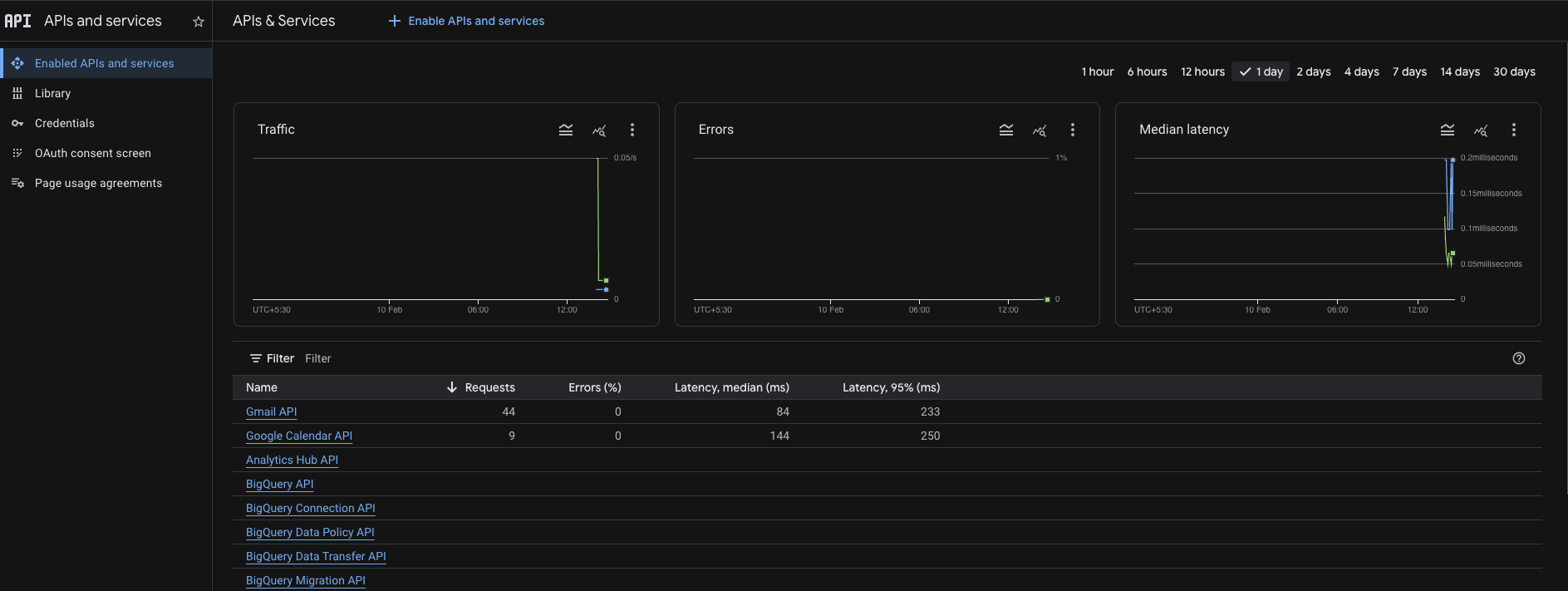
4
Configure OAuth Consent Screen
Go to the OAuth consent screen pageApp Information: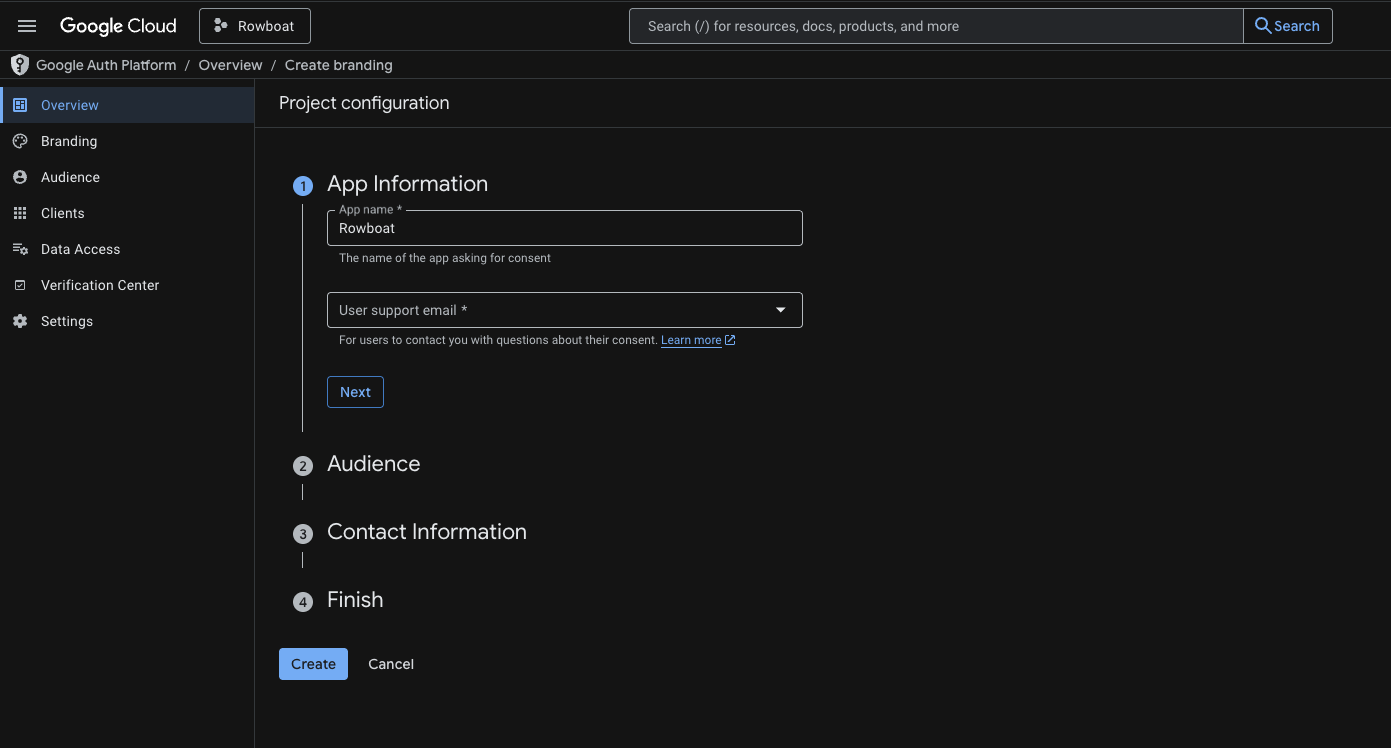
- App name: e.g.
Rowboat - User support email: Your email
- Choose External
- Add your email address
You do NOT need to publish the app - keeping it in Testing mode is fine for personal use.
5
Add Test Users
If your app is in Testing mode, you must add users manually.Go to the test users pageUnder Test Users: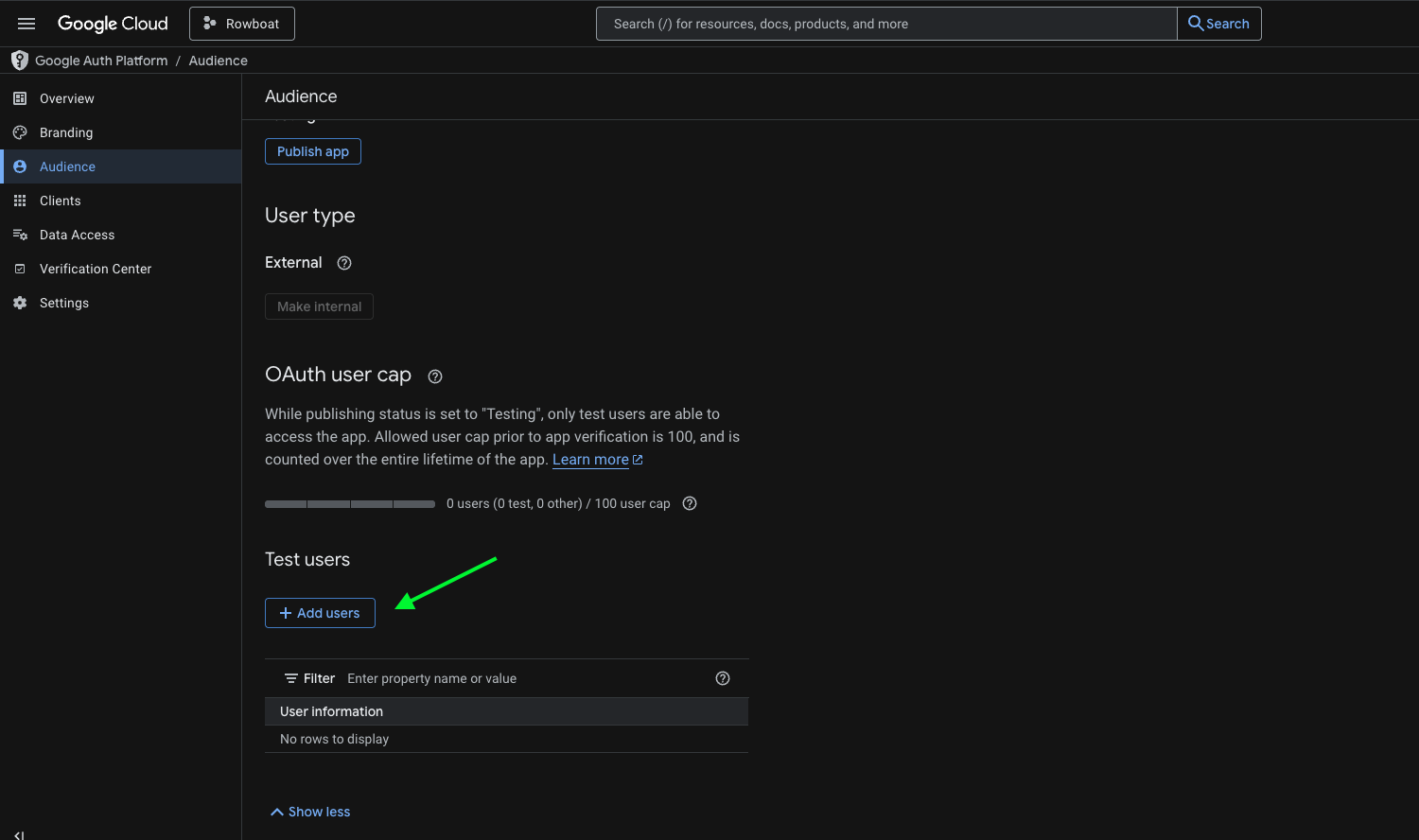
- Click Add Users
- Add the email address you plan to connect with Rowboat
- Save changes
6
Create OAuth Client ID
Go to the credentials pageClick Create Credentials → OAuth Client IDApplication Type:Select Universal Windows Platform (UWP)
- Name it anything (e.g.
Rowboat Desktop) - Store ID can be anything (e.g.
test) - Click Create
7
Copy the Client ID
After creation, Google will show: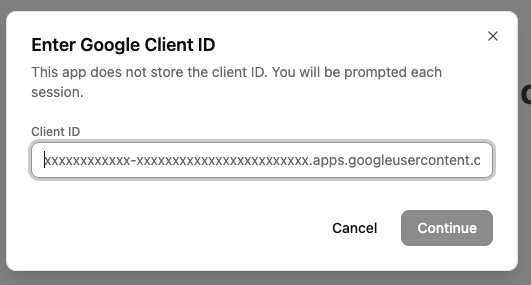
- Client ID
- Client Secret
Troubleshooting
”Access blocked” error
If you see an “Access blocked” error when trying to connect:- Make sure you added your email as a test user (Step 5)
- Verify that all three APIs (Gmail, Calendar, Drive) are enabled
- Confirm you’re using the same Google account that you added as a test user
Can’t find UWP option
If you don’t see the Universal Windows Platform (UWP) option:- Make sure you’re on the correct credentials page
- Try selecting “Desktop app” as an alternative - it should work similarly
- Contact support if issues persist
Security Notes
- Your Client ID and credentials are stored locally on your machine
- Rowboat never sends your Google credentials to any external server
- You can revoke access at any time from your Google Account settings